

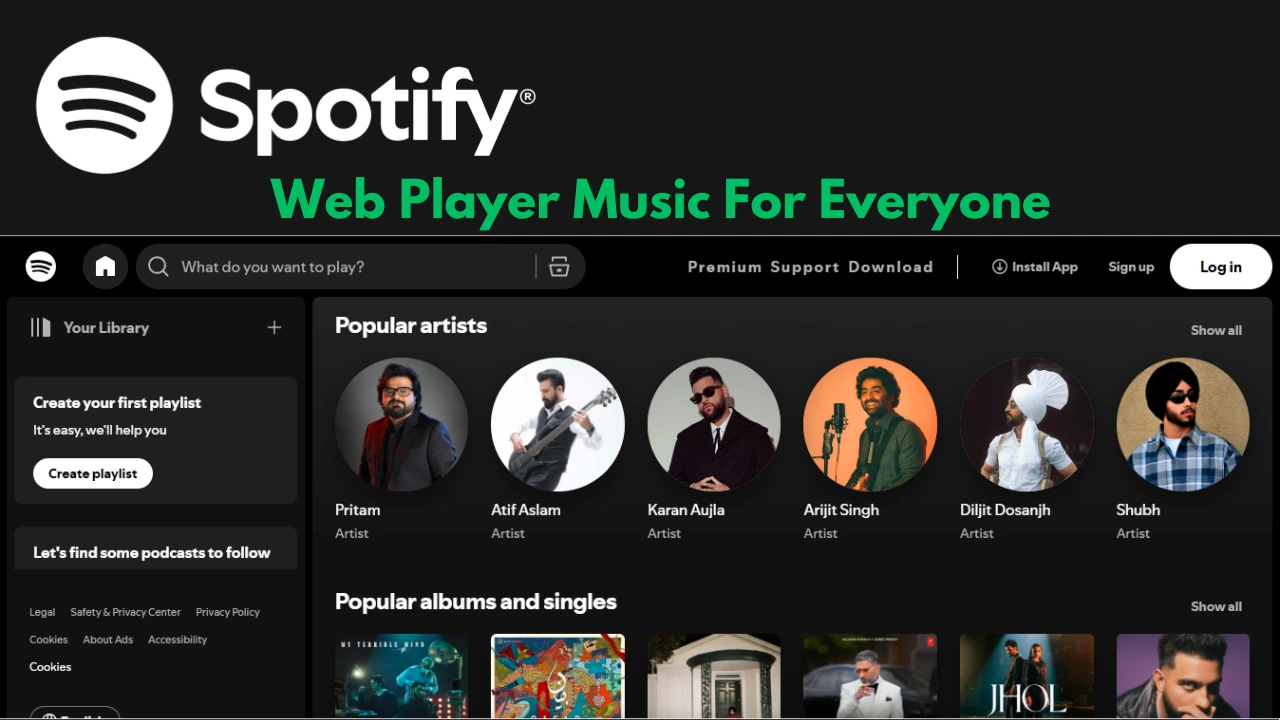
Spotify is one of the most popular music platforms in the world, and its browser-based option, the Spotify Web Player, continues to prove that it truly is music for everyone. Without downloading or installing an app, listeners can sign in from nearly any modern browser and gain access to millions of songs, curated playlists, podcasts, and even audiobooks. In 2025, the web player has evolved into a highly capable platform that mirrors most of the functionality of the desktop and mobile apps, while offering unique benefits of its own.
This detailed guide breaks down exactly what the web player offers, how to use it effectively, and why it has become a go-to choice for students, professionals, and casual music fans around the globe.
What Is the Spotify Web Player?
The Spotify Web Player is the browser-based version of Spotify that runs directly in Chrome, Firefox, Edge, Opera, and Safari. It removes the need for installing the desktop application, giving instant access to Spotify’s catalog from any computer with an internet connection. This is especially useful on public or work devices where downloading apps might not be possible.
The interface mirrors the familiar layout of Spotify’s apps—complete with a sidebar for navigation, a search bar, a central content feed, and a bottom playback bar with album artwork, lyrics toggle, and playback controls. In short, it’s designed to feel native to your browser but seamless across devices.
Supported Browsers and Setup
The Spotify Web Player runs smoothly on major browsers. For best performance, users should ensure their browser is updated to the latest version. While mobile browsers often redirect users to the Spotify app, desktop browsers remain the intended environment.
Getting started is simple:
- Open your preferred browser.
- Visit the Spotify Web Player site.
- Log in with your account (Free or Premium).
- Start streaming instantly.
If playback doesn’t work initially, users may need to enable DRM or protected content in their browser settings, which is required for music licensing compliance.
Audio Quality in the Web Player
The Web Player has slightly different audio quality standards compared to the desktop and mobile apps. Instead of using the Ogg Vorbis format, the web player streams using AAC (Advanced Audio Codec).
- Free tier: Streams at 128 kbps AAC.
- Premium tier: Streams at 256 kbps AAC.
Although Premium audio quality is slightly lower than the highest tier available in the desktop app, most casual listeners find the difference nearly indistinguishable. For everyday listening, Spotify Web Player still delivers crisp, clear sound that works well whether you’re on basic headphones or external speakers.
Features That Make the Web Player Shine
1. Full Music Catalog
Users can access Spotify’s entire music library, including playlists, albums, singles, and personalized mixes.
2. Podcasts and Audiobooks
The web player now supports podcasts and audiobooks, making it a true all-in-one listening hub. Premium users even get a monthly allowance of audiobook hours included in their subscription.
3. Lyrics Integration
The real-time lyrics feature syncs with songs, making it easy to sing along or better understand the meaning behind tracks.
4. Queue and Playback Control
The redesigned playback bar includes Shuffle, Smart Shuffle, Repeat, and even a Sleep Timer, offering complete control over your listening session directly in the browser.
5. Cross-Device Sync
With Spotify Connect, you can start a track in your web browser and seamlessly continue it on your phone, smart speaker, or TV without interruption.
Accessibility Improvements
In recent years, Spotify has prioritized accessibility in its web player. The platform now includes enhanced keyboard navigation, making it easier for those who prefer or rely on keyboard shortcuts. Screen reader compatibility has also improved significantly, ensuring visually impaired listeners can explore and enjoy Spotify’s massive content library without barriers. These steps underline the promise of music for everyone, extending inclusivity to all types of listeners.
Productivity and Lifestyle Benefits
One of the biggest appeals of the web player is its convenience in work and study environments. Many users keep it running in a background tab while working, studying, or browsing. It requires no extra resources like desktop apps do, freeing up system memory and battery life on laptops.
For professionals, the ability to quickly switch between playlists, podcasts, and even calming background music directly from the browser makes it a powerful productivity companion.
The Future of the Spotify Web Player
Looking ahead, Spotify continues to test features for its web player, with rumors pointing to upcoming lossless audio streaming and even tighter integration with AI-powered DJ features. These additions could make the browser version as competitive as the desktop app, appealing not just to casual users but also to audiophiles who demand higher quality.
Spotify’s goal has always been accessibility and universality, and with ongoing upgrades, the spotify – web player: music for everyone experience will only get better.
Tips for the Best Experience
- Use a modern browser: Chrome or Edge generally deliver the most stable playback.
- Enable DRM: If playback errors occur, ensure Widevine or equivalent DRM is enabled in settings.
- Keyboard shortcuts: Familiarize yourself with play/pause, skip, and volume shortcuts for smoother control.
- Log out on shared computers: To keep your account secure, always log out when using a public system.
- Try the lyric mode: Great for karaoke sessions or learning a new language through songs.
Conclusion
Spotify’s Web Player is no longer just a backup option; it’s a powerful, feature-rich platform in its own right. With full access to music, podcasts, and audiobooks, synchronized lyrics, accessible design, and innovative queue management, it embodies the idea of music for everyone. Whether you’re a student on a school computer, a professional at work, or someone who just wants music without installations, the web player proves to be a reliable and enjoyable choice in 2025.
FAQs on Spotify – Web Player: Music for Everyone
1. Can I use the Spotify Web Player without downloading the app?
Yes, you can log in from any major desktop browser and start listening without installing software.
2. Does Spotify Web Player work on mobile devices?
It works in mobile browsers, but most devices redirect users to the app for a smoother experience.
3. Is the audio quality lower on the Web Player compared to the app?
The Web Player uses AAC 128 kbps for Free accounts and AAC 256 kbps for Premium accounts, which is slightly lower than the maximum desktop app quality but still excellent for most users.
4. Can I see lyrics on Spotify Web Player?
Yes, real-time lyrics are available on most tracks and sync directly with playback.
5. Does the Web Player support podcasts and audiobooks?
Yes, it includes the full catalog of podcasts and audiobooks. Premium users also get a monthly allowance of free audiobook hours.
6. How do I fix playback issues on the Web Player?
Most issues can be solved by enabling DRM in your browser settings, updating the browser, or disabling interfering extensions.
7. Is the Spotify Web Player accessible for visually impaired users?
Yes, it has improved screen reader support and keyboard navigation to make the experience inclusive for all.
