

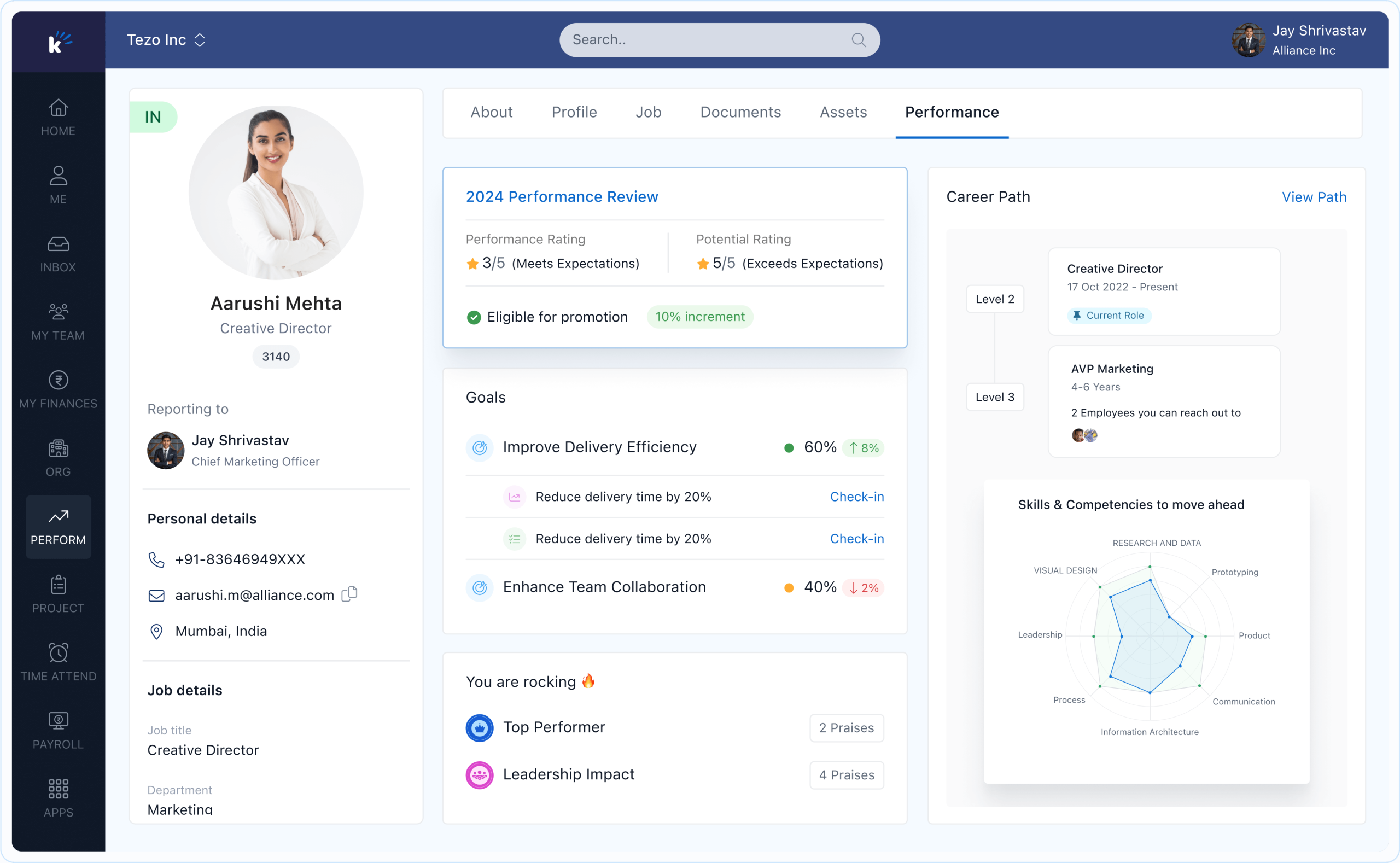
The Keka employee login is the single entry point for employees to access payroll, attendance, leave, timesheets, performance reviews, and self-service HR features. For companies using Keka HRMS, this login process is essential for managing everyday tasks seamlessly. Whether you are signing in on the web or using the mobile app, knowing the exact steps and troubleshooting tips can save valuable time.
What Is Keka Employee Login?
Keka provides an Employee Self-Service (ESS) portal that employees use daily. Once you log in, you gain access to:
- Payslips and salary details
- Attendance marking and leave requests
- Timesheet submissions and approvals
- Expense claims and reimbursements
- Organization announcements and policies
- Employee profile and directory
- Helpdesk ticketing for HR or IT queries
This login process can be completed either through a web portal or the official Keka mobile applications.
Where to Log In
1. Company Subdomain
Most companies set up a custom subdomain like yourcompany.keka.com. Employees are usually given this link during onboarding. It is the primary and secure access point.
2. Universal Login
If you don’t know your subdomain, the universal login portal works too. After authentication, you’ll be directed to your company’s environment.
3. Mobile App Login
The Keka HR mobile app on Android and iOS supports all login options, letting you apply for leave, mark attendance, or view payslips anytime.
Authentication Methods Supported
Keka allows multiple ways to sign in. Depending on your company’s policy, you may see one or more of these options:
- Microsoft (Office 365/Azure AD) Login
- Google Account Login
- Keka ID and Password
- Mobile OTP Login
These options ensure flexibility while maintaining enterprise-level security.
Step-by-Step: Web Login Process
A) Using Microsoft
- Visit your company’s Keka subdomain.
- Click Sign in with Microsoft.
- Enter your work email and password.
- Approve any multi-factor authentication prompts.
- You’ll be redirected to your dashboard.
B) Using Google
- Choose Sign in with Google.
- Select your registered corporate account.
- Complete any security verification.
- Access the employee portal instantly.
C) Using Keka Password
- Select Login with Keka.
- Enter your username or registered email and password.
- Complete the Captcha if required.
- Access your profile dashboard.
D) Using Mobile OTP
- Select Login with Mobile OTP.
- Enter your registered mobile number.
- Input the OTP received via SMS.
- Gain access securely.
Mobile Login: Android & iOS Apps
- Download Keka HR from Google Play or Apple App Store.
- Enter your company domain (if required).
- Choose from Microsoft, Google, Keka Password, or Mobile OTP.
- Complete verification and allow app permissions.
- Use the app for attendance, leave, salary slips, and approvals on the go.
Single Sign-On (SSO) Options
For added convenience and stronger security, companies integrate Keka with third-party identity providers:
- Okta SSO: Employees use their Okta credentials to access Keka.
- OneLogin SSO: Provides centralized login with MFA for Keka users.
- Microsoft Azure/Google Workspace SSO: Simplifies login using your existing work account.
SSO ensures one password across systems, reducing complexity.
First-Time Access Checklist
- Verify your registered email and phone with HR.
- Know your company’s subdomain link.
- Install the mobile app and enable notifications for approvals.
- Save your preferred login method for quicker access.
Troubleshooting Login Issues
Forgot Password
- Use the Forgot Password option on the login page.
- Follow the reset link sent to your registered email.
Account Disabled
- Only HR/Admin can re-enable your account. Contact them directly.
OTP Not Received
- Confirm your phone number with HR.
- Try switching to Google/Microsoft login temporarily.
Mobile App Errors
- Update the app to the latest version.
- Force-close and reopen the app.
- Log out and back in.
Key Features After Login
- Payroll: Download payslips and tax documents.
- Attendance: Mark check-in/check-out with geo-tagging support.
- Leave: Apply, approve, and track leave balances.
- Performance: Access reviews and feedback cycles.
- Helpdesk: Raise tickets for HR or IT issues.
- Directory: Find colleagues’ details within the company.
Security Best Practices
- Always use your official company login domain.
- Prefer SSO with MFA when available.
- Avoid saving passwords on shared devices.
- Log out after using shared or public computers.
Web vs. Mobile: Which Is Better?
- Web Portal: Ideal for detailed tasks like timesheets, performance reviews, and analytics.
- Mobile App: Convenient for quick tasks such as attendance, leave, payslips, and approvals.
Most employees use both depending on context.
Quick Login Checklist
- Have your company subdomain ready.
- Know which authentication method is enabled.
- Complete Captcha or MFA if prompted.
- Update your mobile app for smooth access.
- Contact HR if your account is blocked.
Conclusion
The Keka employee login is more than just a sign-in—it’s your gateway to payroll, attendance, and everyday work essentials. By understanding the different login options, troubleshooting errors, and using SSO for security, employees can make the most of Keka’s ESS platform. Keep your login credentials updated, and you’ll never face delays in managing HR-related tasks.
FAQs: Keka Employee Login
1. What should I do if I forget my company subdomain?
Use the universal login portal or contact HR for your exact subdomain link.
2. Can I log in to both web and mobile with the same credentials?
Yes, your Keka employee login works across both platforms seamlessly.
3. Why don’t I see the Google or Microsoft login option?
Your company administrator decides which authentication methods are enabled.
4. How do I fix OTP not arriving on my mobile?
Ensure your registered number is correct, check your network, or switch to another login method until HR updates your details.
5. Can I access Keka outside of office Wi-Fi?
Yes, Keka works on any secure internet connection through web or mobile.
6. What if my account is permanently disabled?
You will need to contact your HR or IT department—only administrators can re-enable accounts.
7. Is Keka login secure?
Yes, Keka supports SSO, MFA, and Captcha to ensure strong account security.
